
Information for App Review
VantageIQ Guardian 1.0, submitted by VantageIQ Technologies LLC
This page answers the nine questions App Review asked on November 13, 2026, and the three guidelines in the rejection, in full. It is public and needs no account. Everything here describes the build that was submitted on November 5, 2026.
- Submission
- 01b6bef3
- Submitted
- November 5, 2026
- Seller
- VantageIQ Technologies LLC, D-U-N-S 14-999-0440
Before you read further
Four links that need no account
A listing can be the only trace of an app. These are the parts of the company that exist outside the App Store, so the product can be checked from a browser.
- The company that publishes itIts own site: products, pricing, security, articles, contact and legal pages.vantageiqtechnologies.com
- Both products, side by sideWhat Guardian does, and what the other app on the account (VantageIQ Faith, for churches) does, so the difference is visible.vantageiqtechnologies.com/products
- Pricing and termsPlans a family buys, with the trial and the terms in plain English.vantageiqtechnologies.com/plans
- Privacy and deletionWhat is collected, why, and how a family exports or deletes all of it.vantageiqtechnologies.com/privacy-policy
The rejection
Guidelines 4.3 and 4.2.6, answered
The rejection listed three concerns. Each is answered here directly, and then the nine questions are answered in full below.
Guideline 4.3(a)
“Apps that duplicate content or functionality already on the App Store.”
Guardian is not a copy of an existing app. Location sharing on its own is common, and we do not compete there. What Guardian does is join one household's location, its emergency records, its documents and its incident history into a single private record that a parent can act on in the first minutes of a bad day. That combination is not offered by any app we could find.
- Its own data model: households, members, safe zones, documents, incidents, trips and emergency cards, built for this product and used by no other app.
- Its own backend and database, owned by us and readable by nobody else.
- Screens designed for this product only. The emergency card a stranger opens from a printed code has no equivalent in a general-purpose map app.
- Built on Base44, a commercial app-building platform we disclose openly. There is no template, no client and no white-label arrangement; the product design, screens, data model, logic and content are ours.
Guideline 4.3(b)
“Apps that are indistinguishable from what’s already widely available, or an opportunistic variant of an existing category or popular app.”
Guardian is not a variant of a category leader. The widely available products either sell to businesses or stop at the map. Guardian was built for a named, documented need — the parent who needs the medical information, the safe-zone history and the police report number in one place — and it goes well past location: an emergency card for first responders, a document vault with expiry reminders, sitter and pickup passes, a driving report and an incident log.
- Different buyer: the household, not an enterprise fleet or a school district.
- Different job: records and readiness, not just a moving dot on a map.
- Different design: an executive, high-contrast interface built for reading at a glance in an emergency.
Guideline 4.2.6
“Apps created from a commercialized template or app generation service but not submitted directly by the provider of the app's content.”
Guardian is built on Base44, a commercial app-building platform, and we say so plainly. The guideline bars an app built that way only when it is not submitted directly by the provider of its content. Guardian is submitted directly by the company that owns and supplies all of that content: VantageIQ Technologies LLC, a Delaware limited liability company (D-U-N-S 14-999-0440), which is also the App Store seller. There is no client, no reseller and no white-label arrangement anywhere in the submission.
- The content, copy, screens and data model are ours, written for this product.
- The only third-party code is the platform's own runtime and standard open-source frameworks, declared in the app.
- The company name on the App Store, the name on the website, the name in the privacy policy and the name in the D&B record are the same entity.
In full
The nine questions, answered
The reply we sent App Review is a shorter version of this page, because the reply box stops at 4,000 characters. Nothing here is behind a login.
Question 1
What the app does, and the problem it solves
Describe in detail what this app does and the primary problem it solves for users. (Do not use the App Store marketing description.)
VantageIQ Guardian is software for one household. A parent or guardian owns the account, adds the people in the family, and decides what each of them may see. Every person who shares a location does so from a link they open themselves, on their own phone, and can stop at any time.
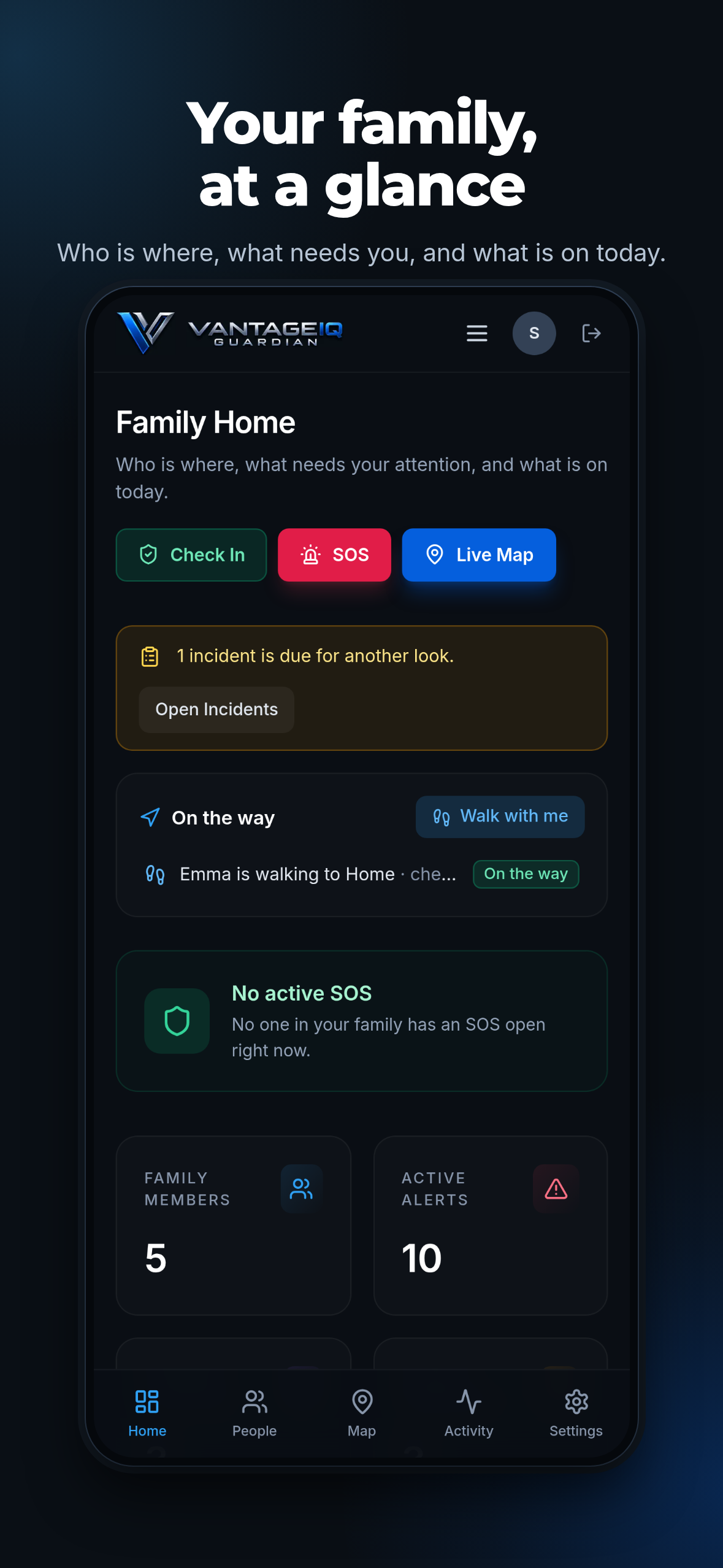
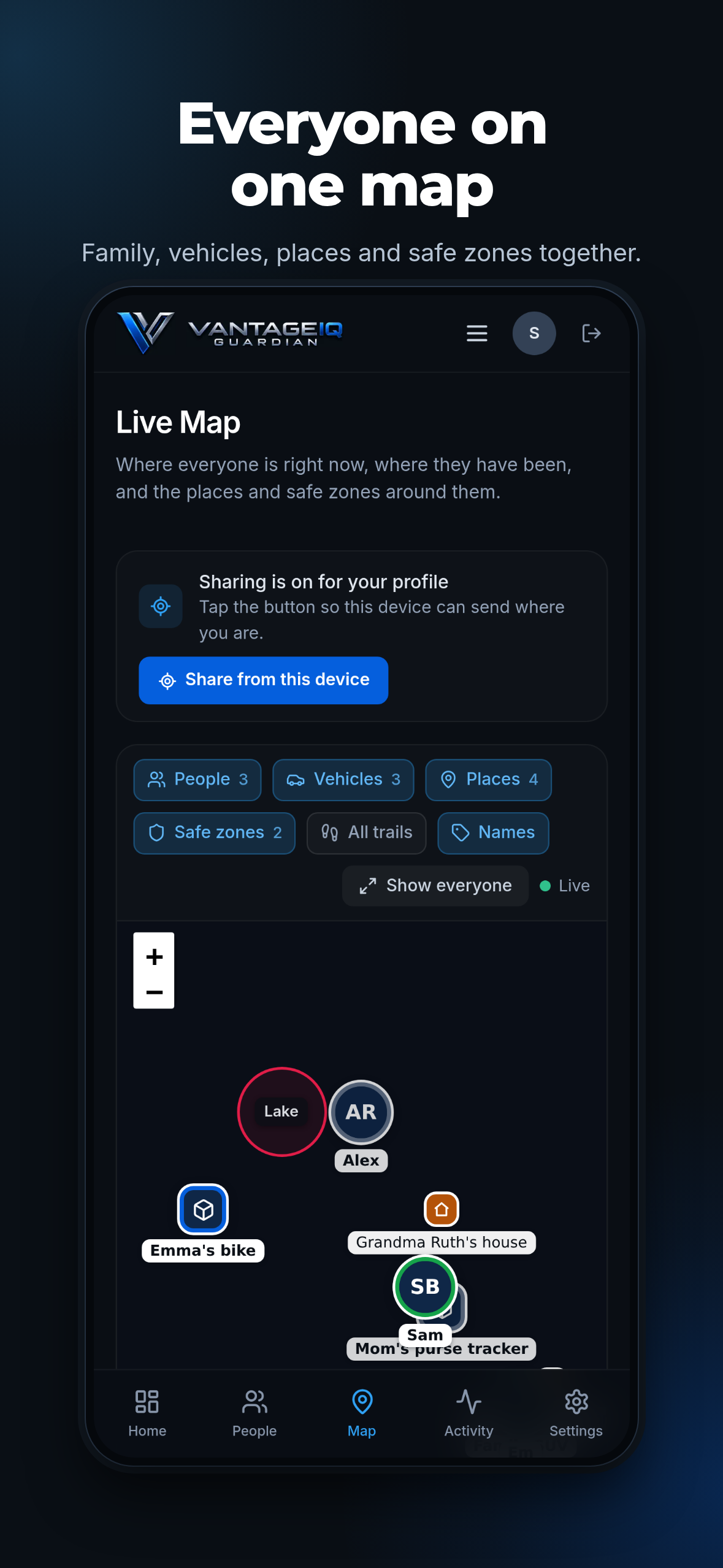
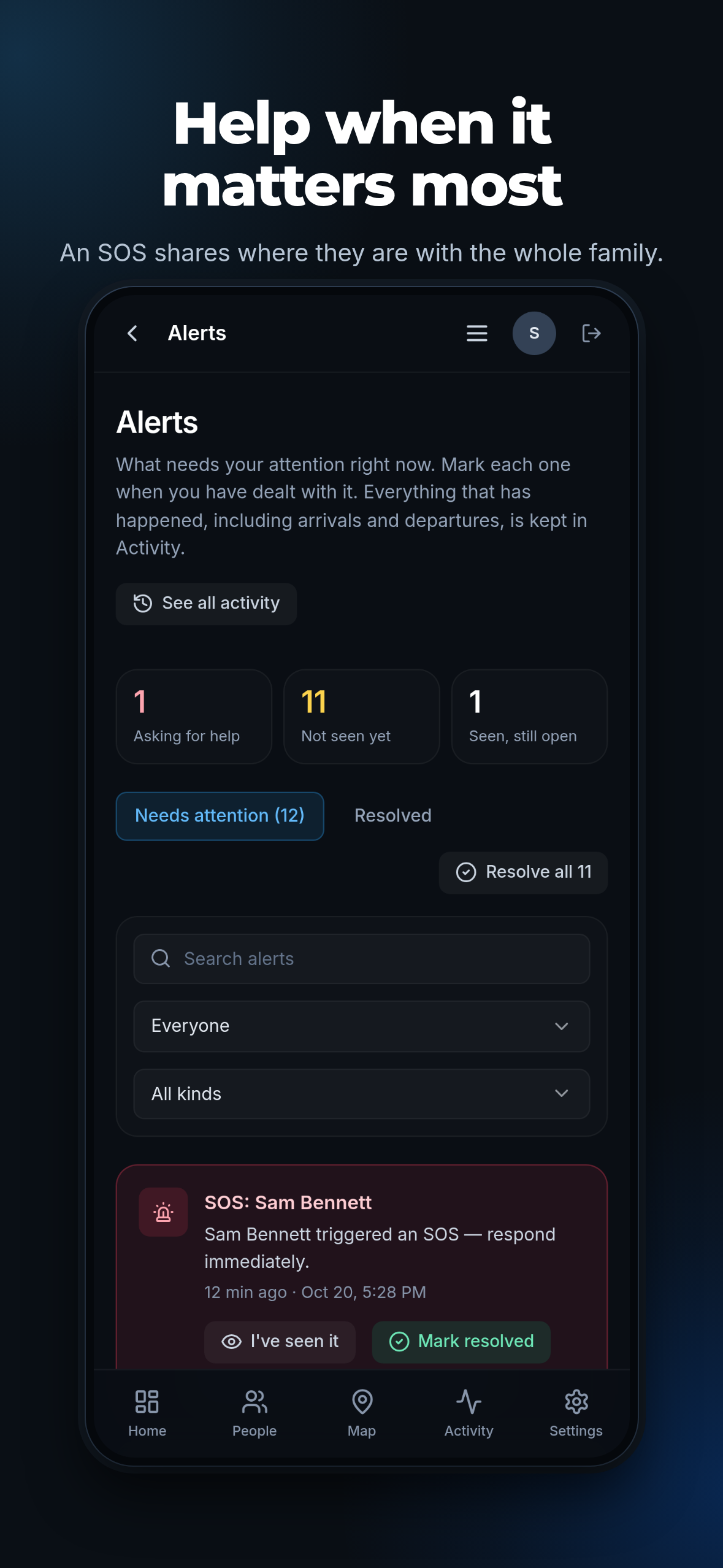
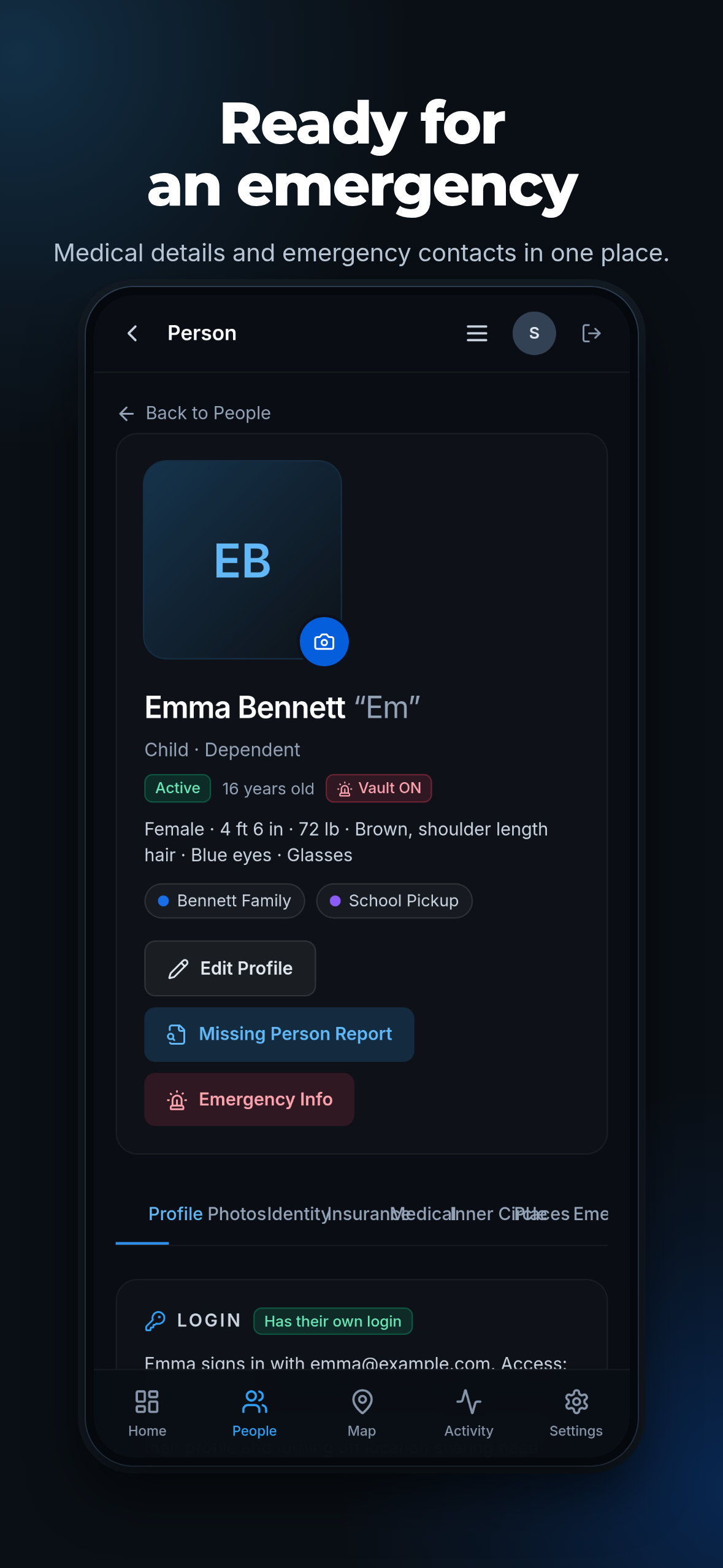
What it holds: a live map of the family's people and vehicles with a trail for the day; safe zones around home, school and work that report arrivals and departures; one-press check-ins and walk-home timers; trips, with a late-trip notice; SOS and a hidden duress action, both of which reach the family and the emergency contacts they nominated; an emergency card for each person — blood type, allergies, medications, conditions, doctor, insurance, identifying marks — that a bystander or paramedic can open from a printed code without an account; a document vault with expiry reminders; vehicles and valuables, including trackers and Bluetooth beacons, with a notice when a lost item moves; cameras and sensors; a driving report; a family calendar; and an incident log with notes, attachments and the police report number.
The problem it solves is not “where is my family” — a map answers that. The problem is the first ten minutes of a bad day: who was where and when, who to call, what a paramedic must know about a child who cannot answer, which passport or registration has expired, and what the police report number was three weeks ago. Families keep those things in a drawer, a group chat and someone's memory. Guardian puts them in one place that works under stress.
It is deliberately not a social product. There is no public feed, no discovery, no follower model, and no way for anyone outside the household to see where anyone is. A parent can export everything the family holds, or delete it, from inside the app.
Question 2
Who the app is for
Who is the intended user of this app?
U.S. households with school-age children, where a parent or guardian is the account owner: typically two parents, two or three children between about 6 and 17, and often a grandparent who lives nearby and checks in daily.
The second group is the adult child who cares for an ageing parent: an older person who lives alone, carries a phone or a medical-alert pendant, and wants a son or daughter to know they have got up, taken their medication and are all right, without being watched all day.
The buyer is the family. Guardian is not sold to a school, an employer or a fleet operator, and none of its vocabulary or workflow is built for one.
Question 3
The gap in the market
What need or gap in the market does this app address that existing apps do not currently address, or address less effectively?
The products already on the App Store split into two groups. General map apps show a location and stop there. Family-safety apps add safe zones and check-ins, then stop at the same place: a map with notifications. Enterprise and school platforms cover tracking at scale, but they sell to an organisation and a family cannot buy them.
What is missing is the household record around the location. When something happens, a parent needs one screen that answers: where was everyone, who do I call, what does a paramedic need to know, what is out of date, what did we already report and to whom. That means an emergency card that a stranger can open from a printed code, a document vault that warns before a passport expires, an incident log that keeps the report number, and a driving report that shows how a teenager actually drives.
That gap is what the build is organised around. The emergency card, the expiry reminders, the sitter and pickup passes and the walk-home timer all exist because a location on its own answers none of those questions.
Coverage matters too: Guardian works for families in the United States, where the phone numbers, the registry lookup, the weather warnings and the legal pages are all local. A global app cannot do that well.
Question 4
Testing before submission
What beta testing did you conduct before submitting the app for review? Provide examples of user feedback that were applied to the production build.
Eight friends, together with our own family, used Guardian for three weeks on iPhones and in web browsers before submission. It was not distributed through TestFlight.
Testers were parents, teenagers and students, not colleagues checking that the app opens. Feedback arrived through the support form in the app, by email, and in short calls after each build. The table below is the record of what was reported and what shipped in response.
The build submitted for review carries the fixes from the final round, and the demo account in the review notes reaches every screen described here.
Question 5
Standalone product, or part of a suite
Is this app intended to function as a standalone product, or is it part of a suite of related apps published under your developer account? If it is part of a suite, describe how this app's scope and functionality differ.
Standalone. Guardian is a complete product: one household, one account, everything it needs inside it. A family can sign up, add people, set zones and use every feature without any other app from us.
Our developer account publishes one other app, VantageIQ Faith, and the two are separate products for separate buyers. Faith is church management software for an organisation: staff and volunteer records, service planning, room and event scheduling, screening and training for volunteers, and a congregation app. Guardian has no organisation layer, no staff records, no scheduling and no congregation. Faith has no household, no map of family members, no emergency card and no document vault. A church cannot use Guardian to run a Sunday, and a family cannot use Faith at all.
They share a maker, a brand and a standard of care. They do not share customers, features or data.
Question 6
Could this be a feature inside another app
Could the functionality be fully delivered as an in-app purchase, feature expansion, or content addition within any other app on your developer account? If so, explain why this was not consolidated.
No. The other app on our account serves organisations, and the object Guardian is built around — a household and the people in it — does not exist there. Adding Guardian to Faith would mean adding a second, unrelated product with its own data model, its own permissions model and its own buyer, which is exactly the consolidation guideline 4.2.6 is meant to prevent, not require.
Guardian is also not a feature that could be sold as an in-app purchase inside anything else: the map, the safe zones, the emergency card, the vault, the incident log and the passes are the product, not extras for one.
Question 7
Shared code with another app on our account
Does this app's binary share any significant code, frameworks, or assets with any other app on your developer account? Identify shared components and describe their role.
Shared, and deliberately so: both apps are built on the same commercial platform, Base44, so their binaries share that platform's app shell and runtime, as any two apps written on one framework would. They also share the brand package (logo artwork, colour tokens, type scale, icon set) and a small internal library of interface utilities — buttons, form fields, date formatting, a picker — that keeps the two products looking like the same company made them. None of it carries product logic.
Not shared: screens, navigation, data schemas, backend functions, business rules, copy and content. Each app has its own backend, its own database and its own users, and a signed-in account in one has no access of any kind to the other. Signing in to Faith does not reveal a Guardian family, and a Guardian account cannot reach a church's records.
Assessment: the overlap is a runtime and a design system, not functionality. No screen in Guardian could be produced by the Faith binary, and no feature of one exists in the other.
Question 8
Code or content shared with a third party
Does this app share any codebase, SDK, or content library with any third-party app (beyond standard third-party frameworks)?
In part, and we say so plainly. Guardian is built on Base44, a commercial app-building platform, so other publishers' apps built on it use the same app shell. Everything a user sees and uses — the product design, screens, data model, logic and all content — belongs to VantageIQ Technologies LLC and is made for this product. We do not licence Guardian to any other publisher, and no third party has access to our code, data or users.
Where the app talks to an outside service — the map tiles, the location lookup, the weather warnings, the public registry check, the payment provider — it does so through our own server code with our own credentials. No third-party app has access to our codebase, our data or our users, and we do not supply Guardian to any other publisher, white-labeler or reseller.
Question 9
Created for a client or third party
Was this app created for a client, partner, or other third party who provided the content, concept, or branding? Identify the provider and explain why it is submitted under your developer account.
No. Guardian was conceived, designed, built and is operated by VantageIQ Technologies LLC, the same Delaware company that appears as the App Store seller, in its own D-U-N-S record (14-999-0440), on its own website, in its own terms of service and privacy policy, and on the support address in the App Store listing.
There is no client, no partner supplying content, no franchise and no agency arrangement. The person who answers App Review is the person who wrote the app.
Question 4 in detail
How it was tested, and what that changed
Every row is a change that is in the build submitted for review, next to the problem it was made for.
- Eight friends and our own family, on iPhones and in web browsers, for three weeks before submission. It was not distributed through TestFlight.
- Testers were parents, teenagers and students using it on their own devices.
- Feedback collected through the in-app support form, by email, and in short calls after each build.
- The build submitted for review carries every change listed below.
A bystander helping a child had no way to reach medical details without an account.
The emergency card was rebuilt for a stranger under stress: one printed code, no account, allergies and medications first.
SOS took several presses, which is too many with a phone in a pocket.
SOS moved to a single press from the family screen, with a hold-to-confirm guard against accidents.
One radius per child cannot fit a school that needs a tighter zone than home.
Zone radius is now set per place, not per child.
A passport could expire between checks, with nothing warning the family.
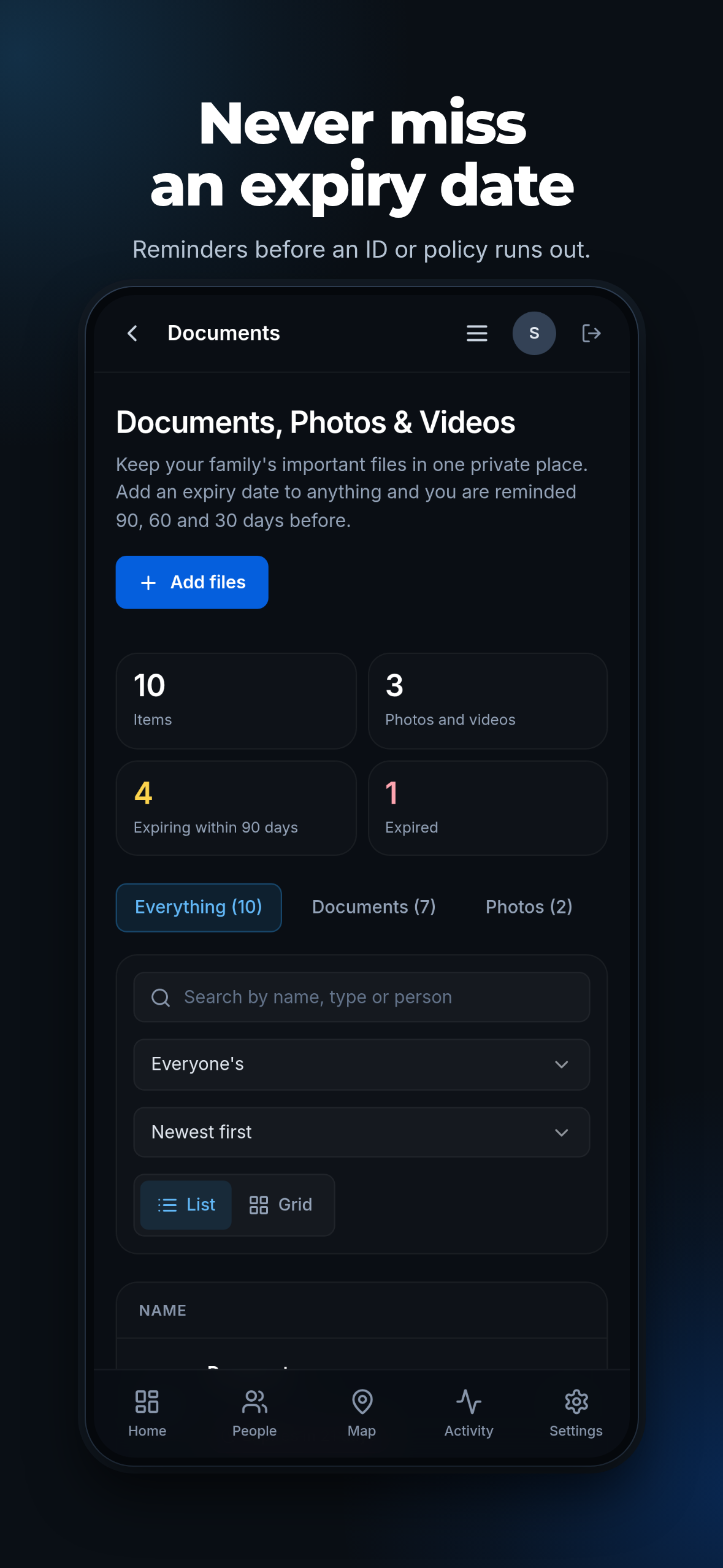
The document vault gained expiry reminders at 90, 60 and 30 days, with a countdown on the record.
A map alone cannot tell a parent that a walk home has gone wrong.
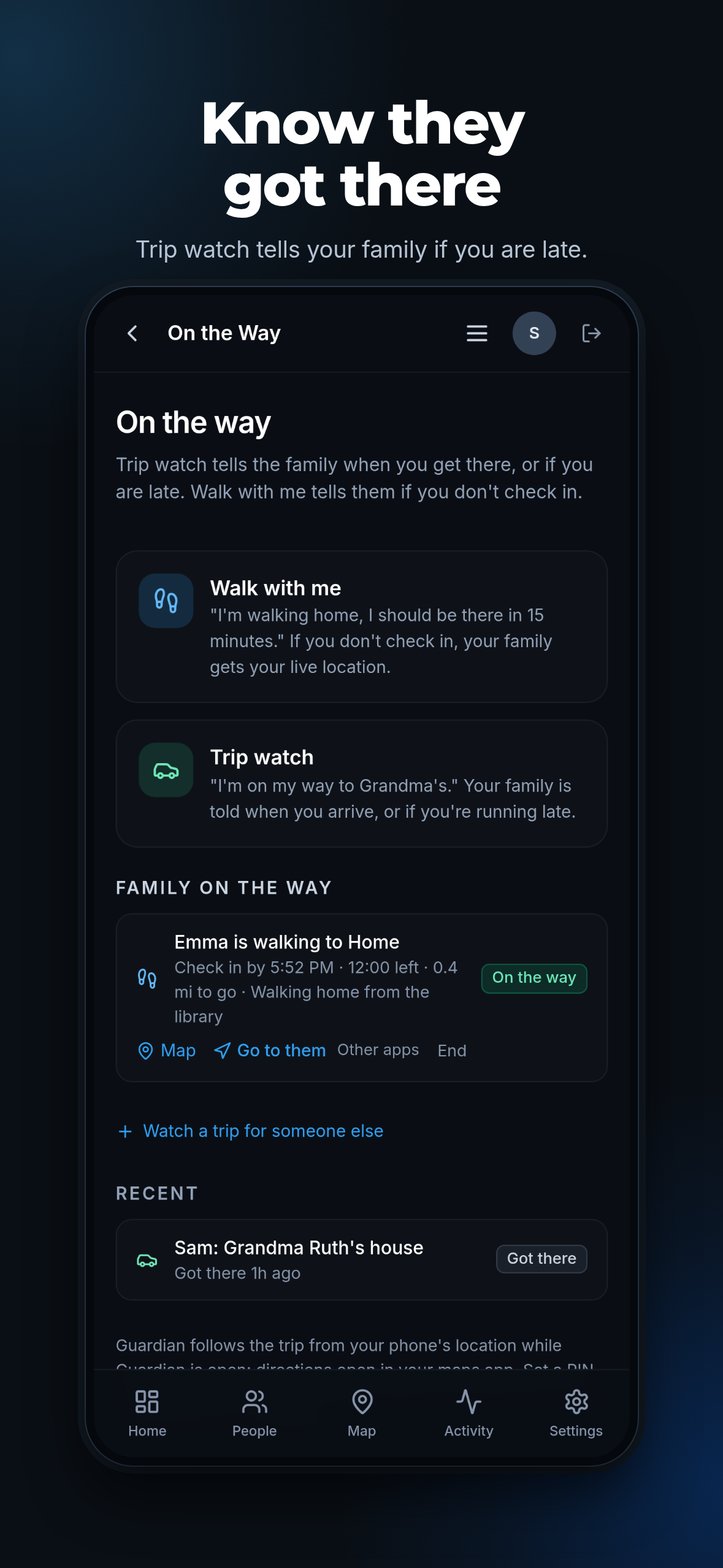
Walk-home timers were added, with a notice to parents and the nominated emergency contacts when one runs out.
Sharing that the person being shared cannot switch off is surveillance, not safety.
Sharing became per person and reversible: each phone consents on its own screen and can stop, and check-in-only members exist.
Questions 7 and 8 in detail
What is shared, and what is not
VantageIQ Technologies LLC publishes two products. They share a design system. They do not share a screen, a database, or a single user.
Shared
- The Base44 platform's app shell and runtime, which both are built on
- Logo artwork and app icons
- Colour tokens and type scale
- Buttons, form fields, date formatting and a picker
Not shared
- Screens and navigation
- Data schemas and backend functions
- Business rules and copy
- Users and data: neither app can read the other's
The submitted build
Six screens from the build
Taken from the App Store screenshots for version 1.0: the family screen, the map, alerts, the emergency card, the vault and trips.
Anything else you need
Reply in App Store Connect and the person who wrote the app answers. The demo account in the review notes reaches every feature described here, so nothing has to be taken on trust.
VantageIQ Technologies LLC · D-U-N-S 14-999-0440 · Lewes, Delaware
vantageiqtechnologies.com/app-review